
September 29, 2026
Behind the Print: The Retouch You're Not Supposed to Notice
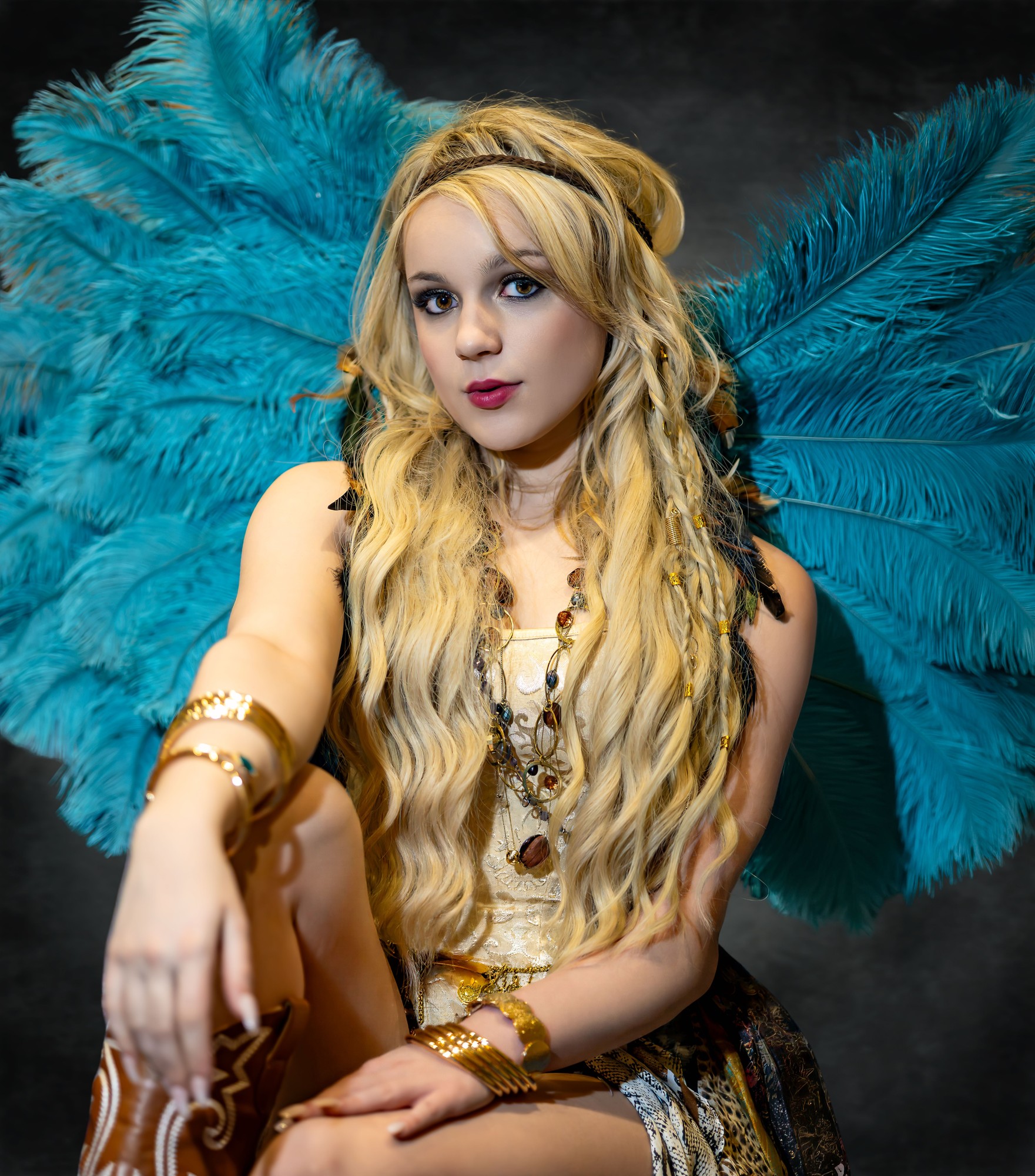
There's a particular kind of comment that shows up under any retouched portrait online.
"That's not real skin." "You can tell it's AI." "Why does she look like plastic."
Sometimes the comment is fair. Often it isn't. But I've noticed the retouches that draw the most criticism are almost never the subtle ones. They're the ones where somebody clearly reached for a slider and didn't let go.
So when I sat down to test Reblum on a real portrait of Sydney from ShutterFest, I wasn't trying to prove the software could transform a photograph. I was trying to see if it could do the opposite: finish the skin so completely that there was nothing left to argue about.
Sydney's setup gave me a lot to work with. Tall teal ostrich feathers, warm studio light, gold jewelry stacked at the wrists and throat. All of that texture and color needed to stay exactly as photographed. The only thing I wanted to touch was her skin.
Reblum splits that job into two passes, and that split is worth understanding if you're a photographer considering it. One pass softens the transitions — the places where light and shadow meet on skin, under the eyes, around the mouth, anywhere a hard edge normally pulls attention. The other pass looks specifically for small defects, blemishes and blotches, and corrects those without touching the surrounding texture. It's a low-frequency pass and a high-frequency pass, handled separately instead of one blunt global smoothing setting.
That distinction matters. A tool that only smooths everything at once is the fastest way to lose pores, lose texture, and end up with the porcelain look everyone's learned to spot.
I wasn't trying to prove the software could transform the photograph. I was trying to see if it could finish the skin so completely that there was nothing left to argue about.

Put the two frames side by side and I don't expect most people to immediately spot every change. That's not a failure of the software or a failure of the demonstration. It's the point. I wasn't chasing a dramatic before/after. I was chasing a photograph that holds up to scrutiny without inviting an argument about how it was made.
I still made the decisions. Where a tool eases redness, I decided how far that correction should go before it stopped reading as skin. Where a tool removes glare, I decided whether the highlight was worth keeping for shape. Reblum ran locally, on my own machine, inside a workflow that still runs through Lightroom Classic the same way it always has. Nothing about the shape of my process changed. What changed is how much time I spent on the parts of retouching that are repetitive rather than creative.
I'm still learning this software. I want to be upfront about that. I'm not presenting myself as an expert on a tool I've used on a handful of images. What I can tell you honestly is what I looked for, what I decided to leave alone, and what I'd want to see before I trusted it on a client gallery.
And eventually, same as every photograph that comes through here, this one has to pass the test that actually matters to me.
The Paper.
Screens forgive a lot. They forgive slightly-off skin tones, slightly-too-smooth highlights, colors that shift depending on who's looking at what display. Paper doesn't forgive anything. If the retouching was too aggressive, a print will tell on it instantly. If it was done right, the print just looks like Sydney.
Fit 2 Capture. Fit 2 Curate. Fit 2 Print.
Model: Sydney / Event: ShutterFest / Photography: Photography Fit 2 Print / John Guest
If you're a photographer curious to try Reblum yourself, it offers a 7-day free trial with no card required, and a discount if you decide to continue through my link.
Disclosure: I'm a Reblum affiliate. If you decide to try Reblum through my affiliate link or code (reblum.app/p/FIT2PRT), I may receive a benefit from the referral. These are my photographs and my opinions about how Reblum fits into my own retouching workflow.
Ready To Be Seen?
Sessions are booking now for 2026. Let's make something bold together.
Get In Touch